

How to tell the differences between a Real and Fake iPhone 17 Pro Max


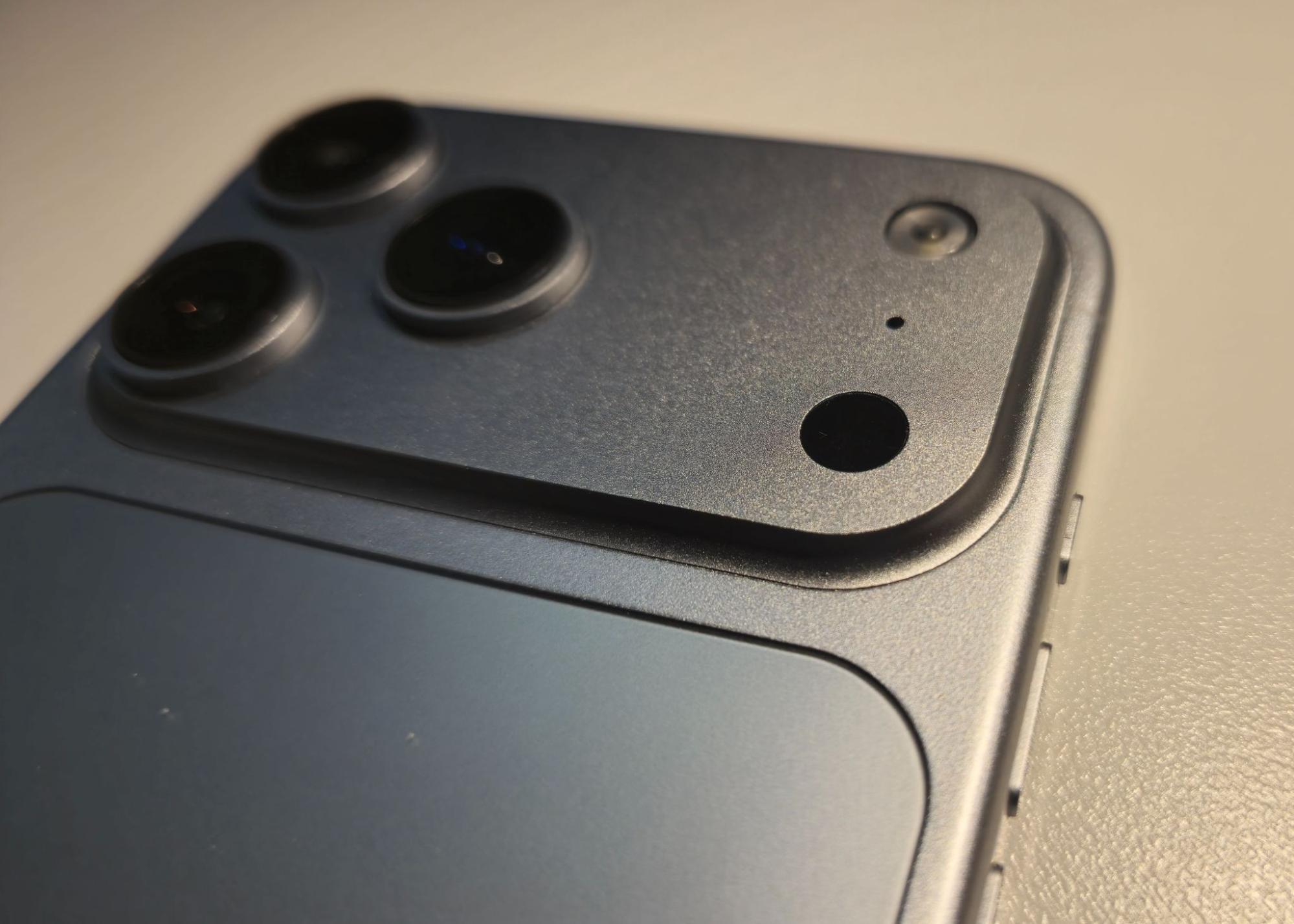
How to tell the differences between a Real and Fake iPhone 17 Pro Max
Buying phones in the second hand market can be very risky. Even more, when you are looking for a device that is over £1,000.The number of counterfeit devices shipped in convincing packaging is on the rise, and many buyers only discover there’s a problem when it’s too late.
That is a pattern we see often at vendi. So, we want to help you spot the fake vs real iPhone 17 Pro Max differences so that you can just avoid all the scams and make confident decisions.
The Growing Problem of Fake iPhone 17 Pro Max
The high demand for premium devices such as the iPhone 17 Pro Max makes them attractive for fraud. However, if the box looks good, most buyers will not question it.
What is new is the level of detail. There is now an attempt to replicate fake phones and boxes in:
• Apple’s minimalist design
• Printed product information
• Even the seal and opening experience

Apple has also switched to entirely fibre-based packaging, without plastic shrink-wrap. This is something counterfeiters attempt but rarely achieve convincingly.
As a result, more and more buyers are receiving devices that appear authentic at first glance, but do not pass basic authenticity checks.
The Un-Official Guide To Buying Second-Hand iPhone
4 Ways to Spot a Fake Before You Buy
1 - Know Who You’re Buying From
When you can, we always advise staying away from private sellers. If you do go down that route:
• Request detailed images of the iPhone 17 Pro Max (if sealed, of its box)
• Ask for the IMEI or serial number and check its Blacklist status.
• Verify it on Apple’s official website or online tools like here
If the seller delays or refuses to help, that is already a red flag.
Check Reviews Properly
Reviews tell a story. Look for:
• Repeated complaints about authenticity
• Reasons behind low ratings
• Inconsistent feedback patterns
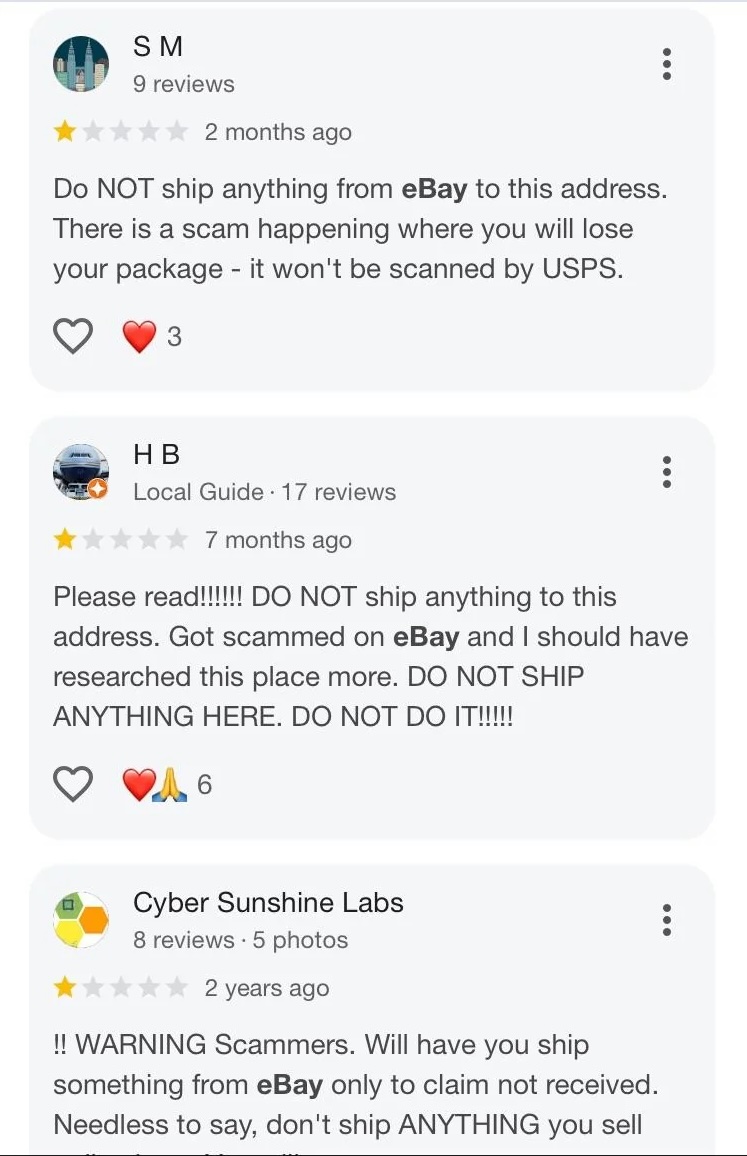
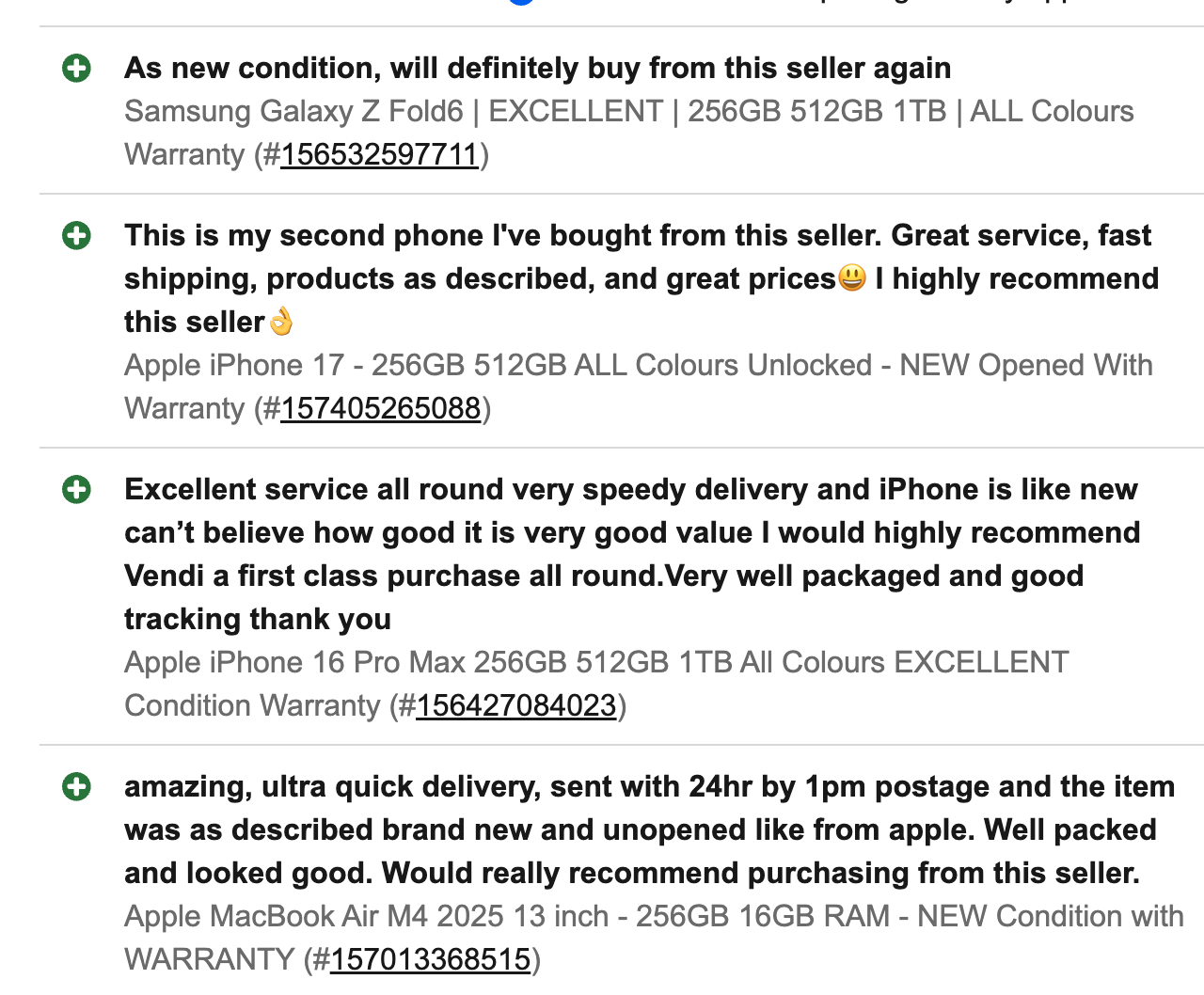
Across time, genuine sellers show clear and consistent reviews.
Record the Delivery Process
When your device arrives, hold off on unboxing right away.
We always recommend filming:
• The parcel before opening
• The unboxing process
• The condition of the seals
If things do not go as expected, this becomes your evidence.
2 - What to Look for First: iPhone 17 Pro Max Fake vs Initial Indicators from outside
The box marks your first true checkpoint. In many cases, you can identify a fake before even touching the device.
Seals: The First Red Flag
An authentic Apple seal is firm and has a slight plastic feel. It is clean, precise, and consistent.
A fake seal often:
• Feels like thin paper
• Has uneven edges
• Shows glue marks or air bubbles
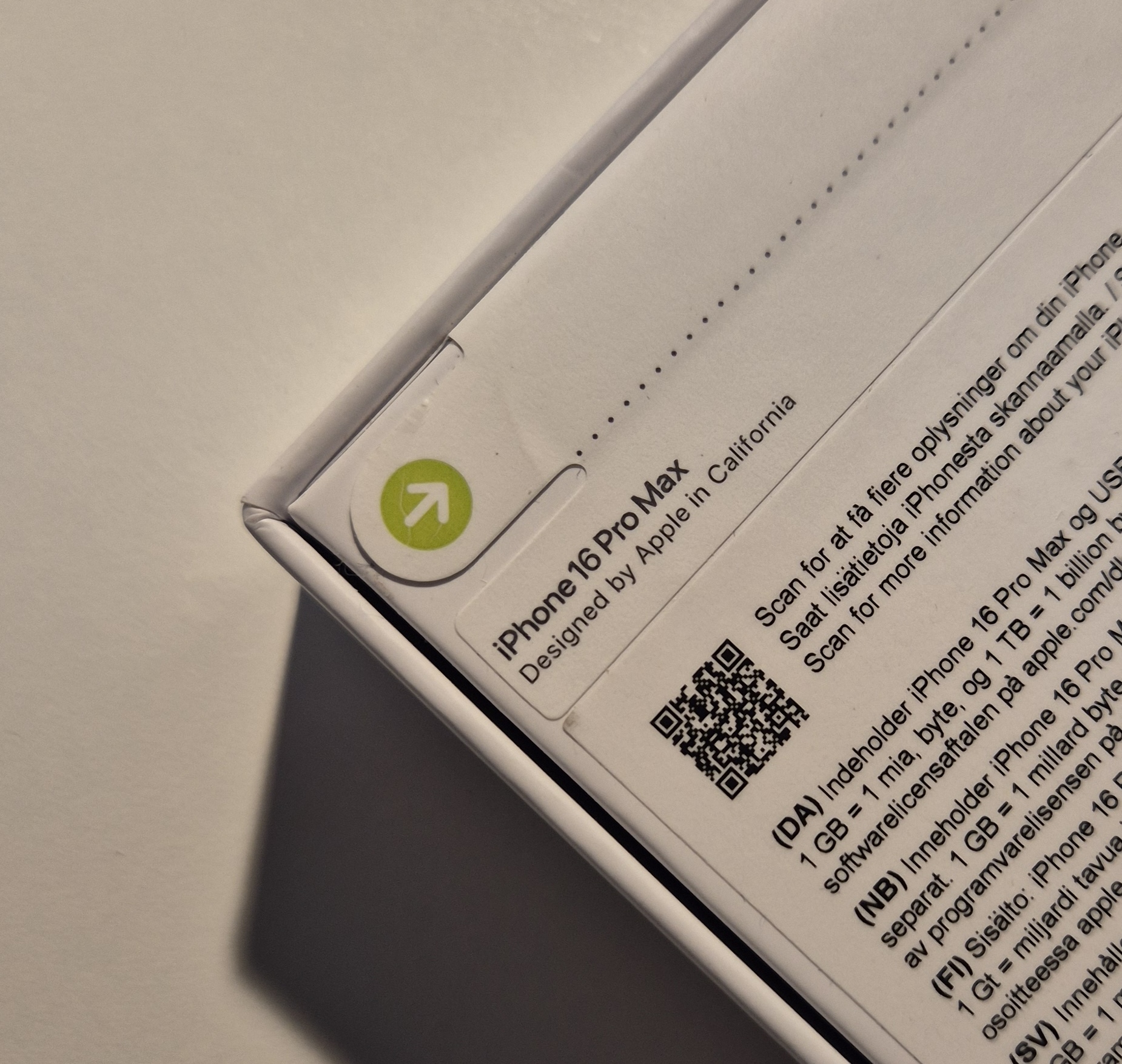
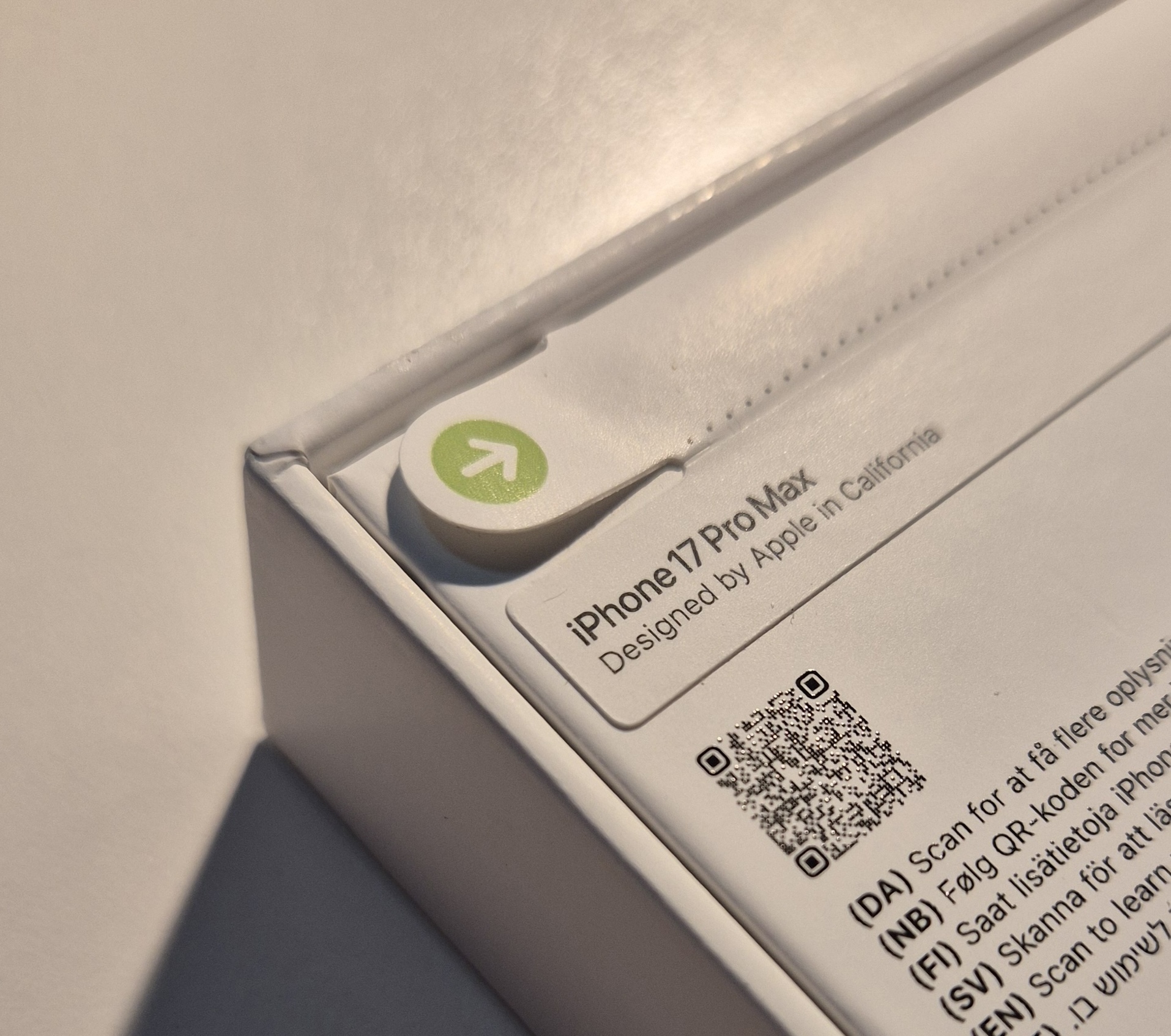
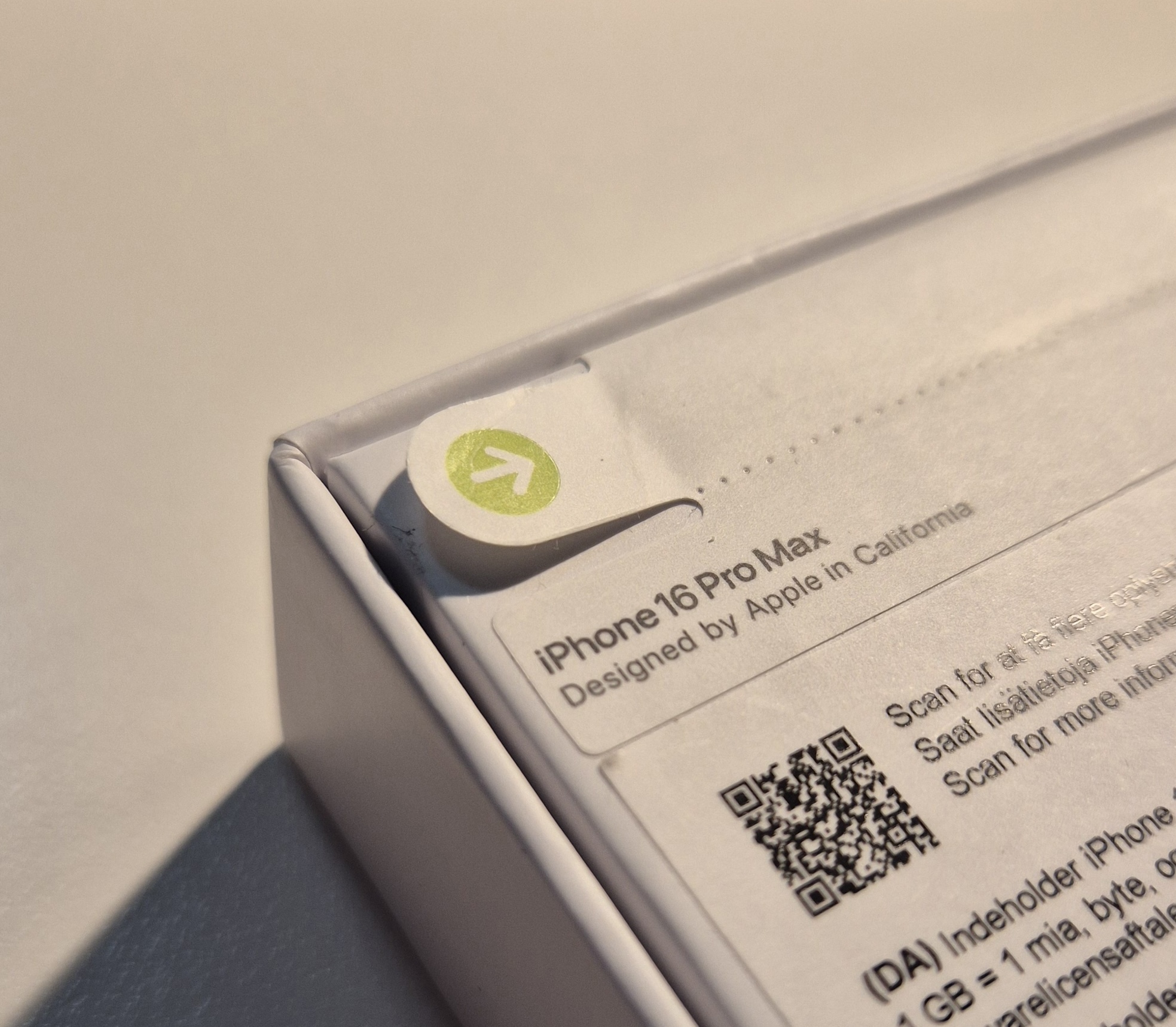
Left images of a real iPhone, right images of a replica.
Also, watch for resealed boxes. Even if the box is real, signs like glue residue or small tears suggest it has been opened before.
Box Design and Alignment
Apple packaging is extremely precise. Everything is centred, balanced, and uniform.
On a fake box, you may notice:
• Slightly off-centre images
• Incorrect colours or tones
• Differences in the product image
These small details are often missed, but they are one of the easiest ways to detect a fake.
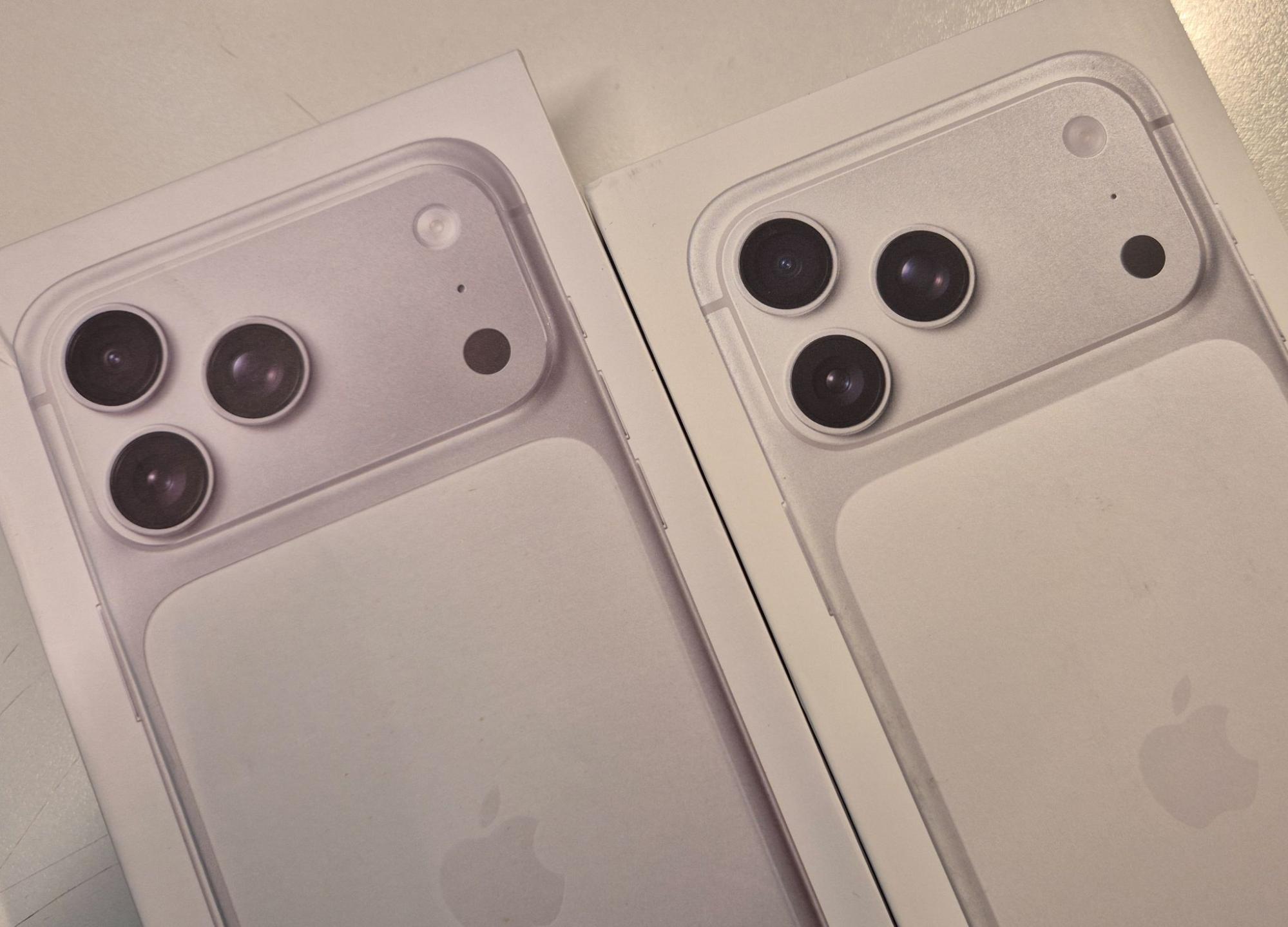
Replica on the left, real iPhone box on the right.
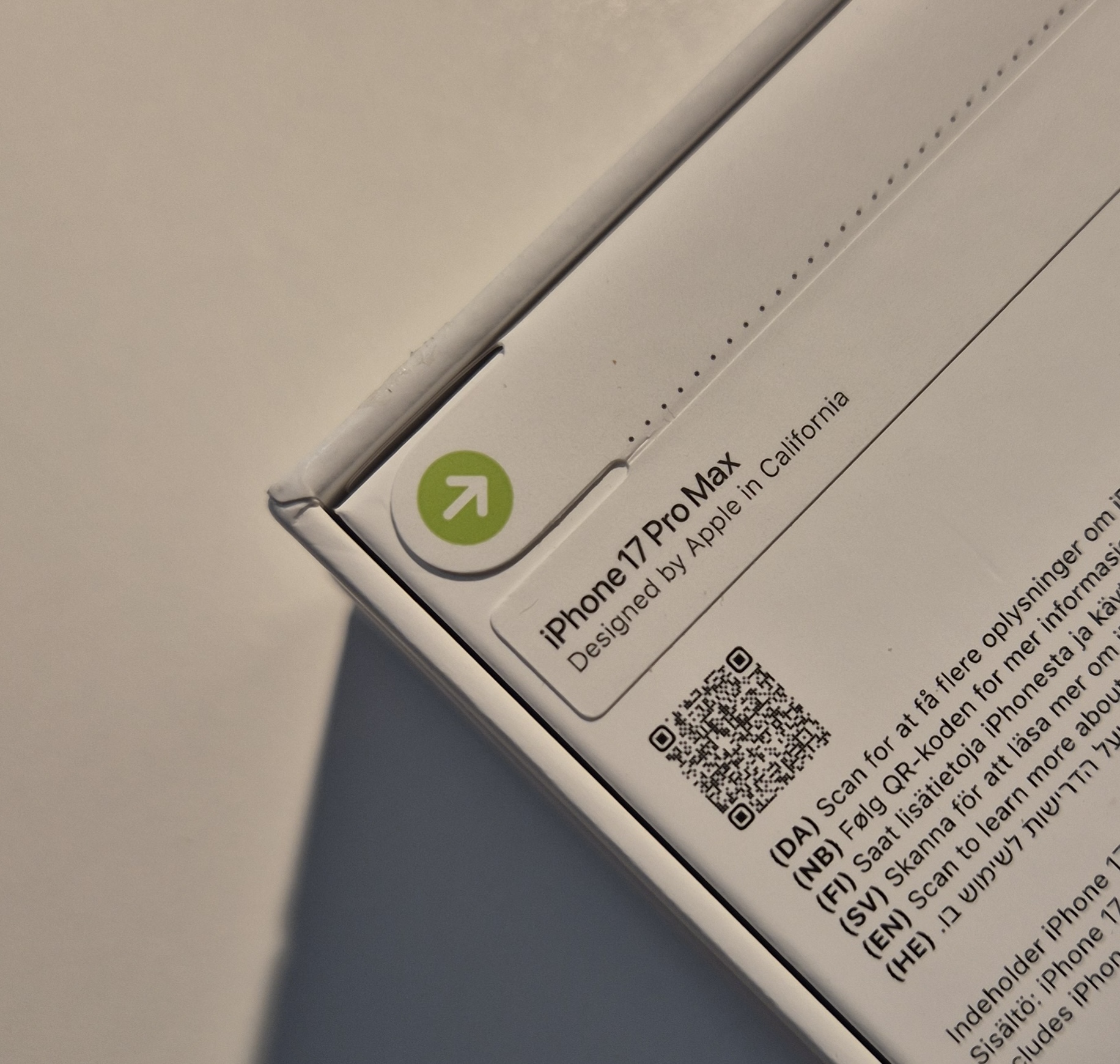
Box Information and Printing
This is one of the most definitive checks.
On a real iPhone box:
• Information is printed directly onto the box
• You can feel the texture of the print
On a fake:
• Labels may be stickers
• Fonts may look slightly different
• Spacing can be inconsistent
Some genuine international units may include stickers, so use this check alongside others.
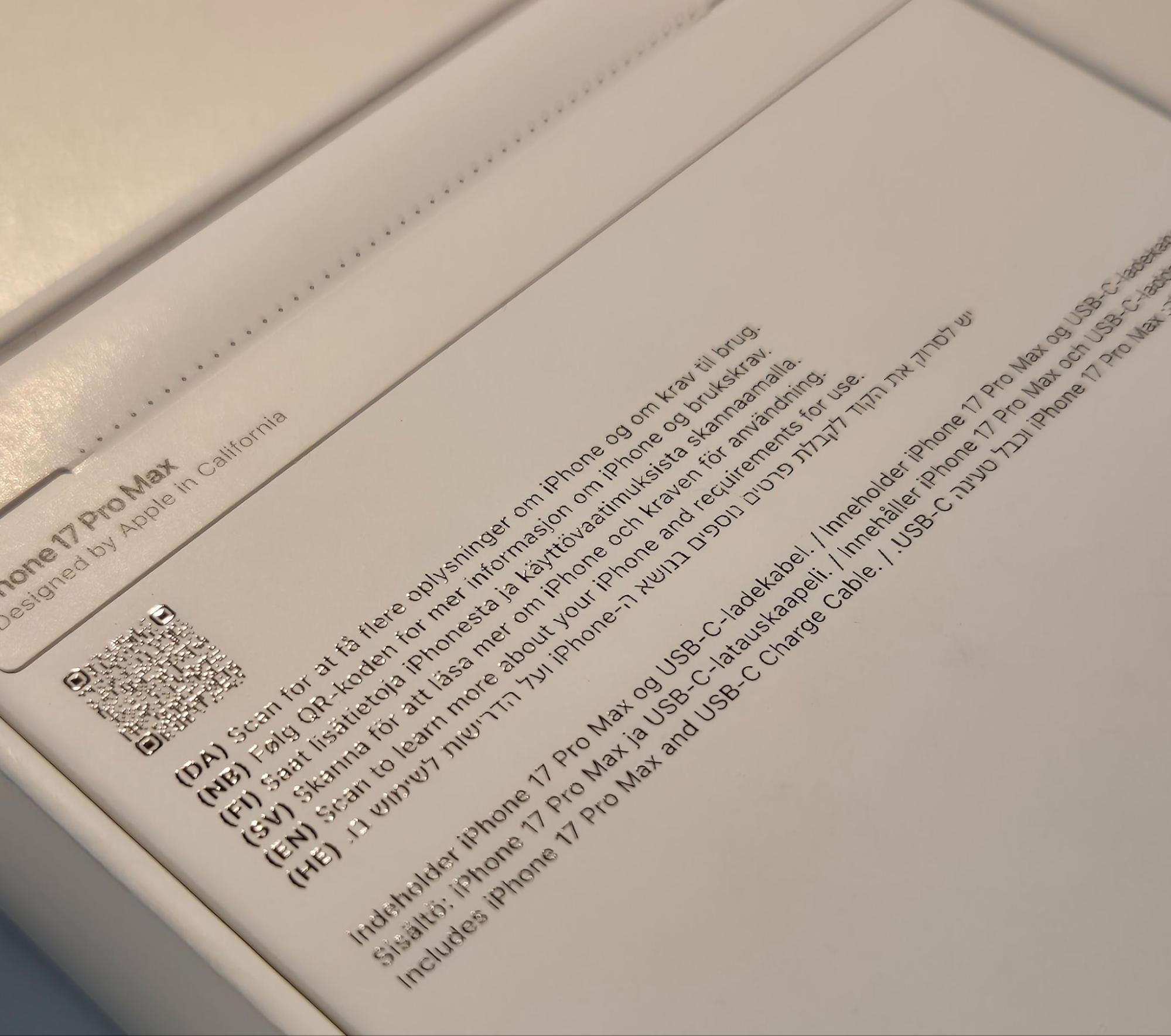
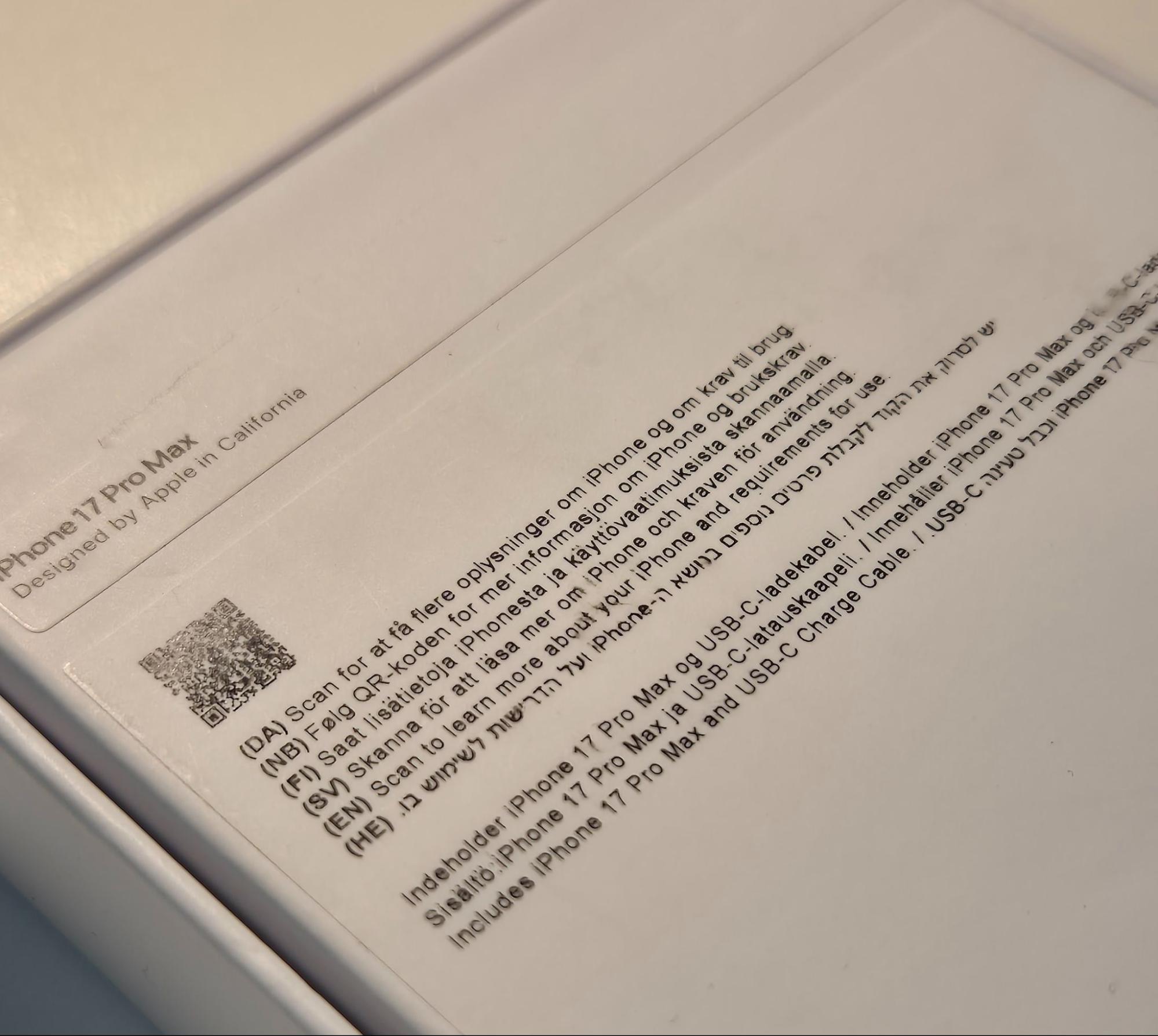
Left image of a real iPhone, right image of a replica.
Activation Status Check
Before unboxing, validate the device using Apple’s coverage checker.
If the device is already activated, it typically means:
• The phone has been used
• The box has been resealed
• Or the device is not genuine
This step alone can save you most problems.
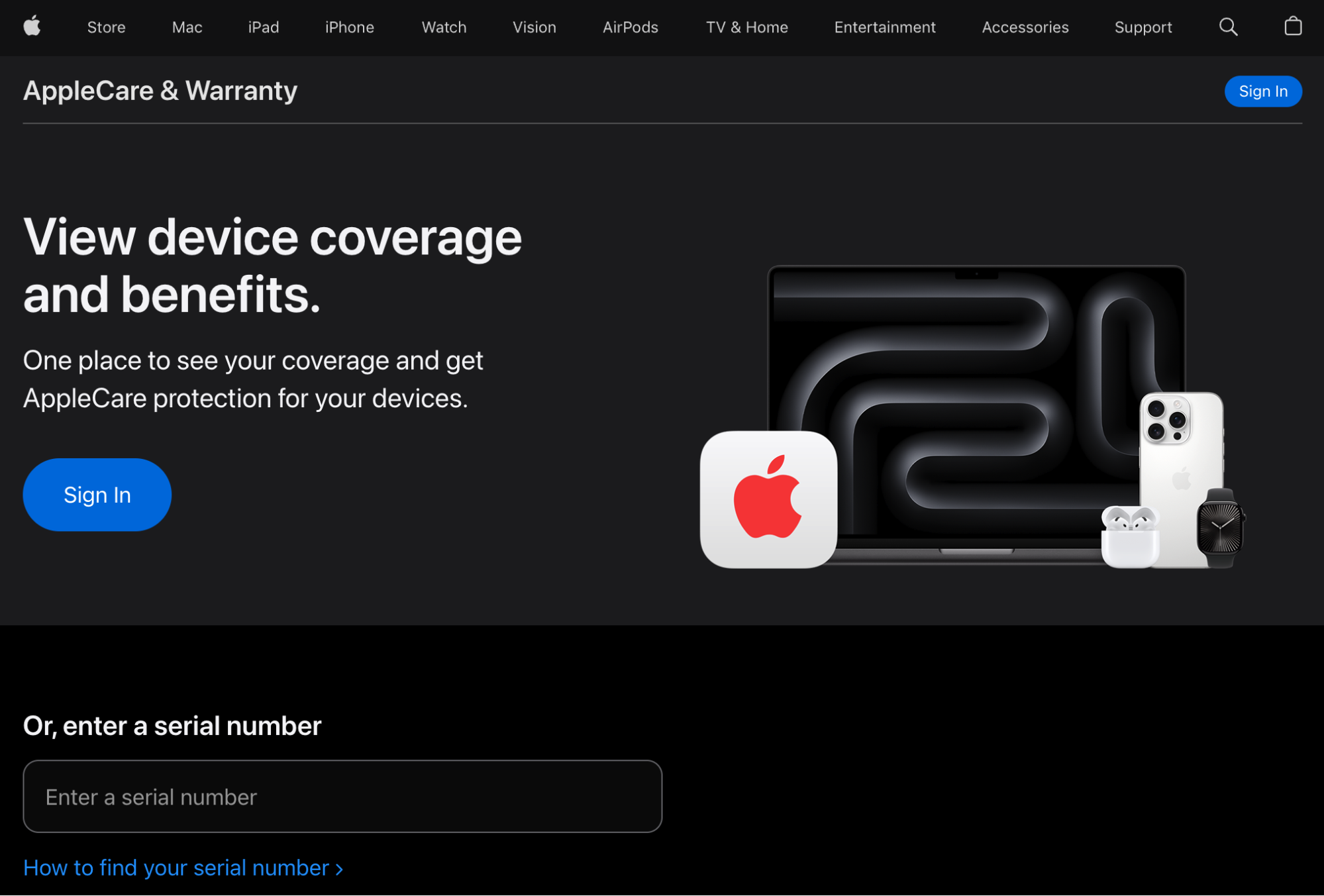
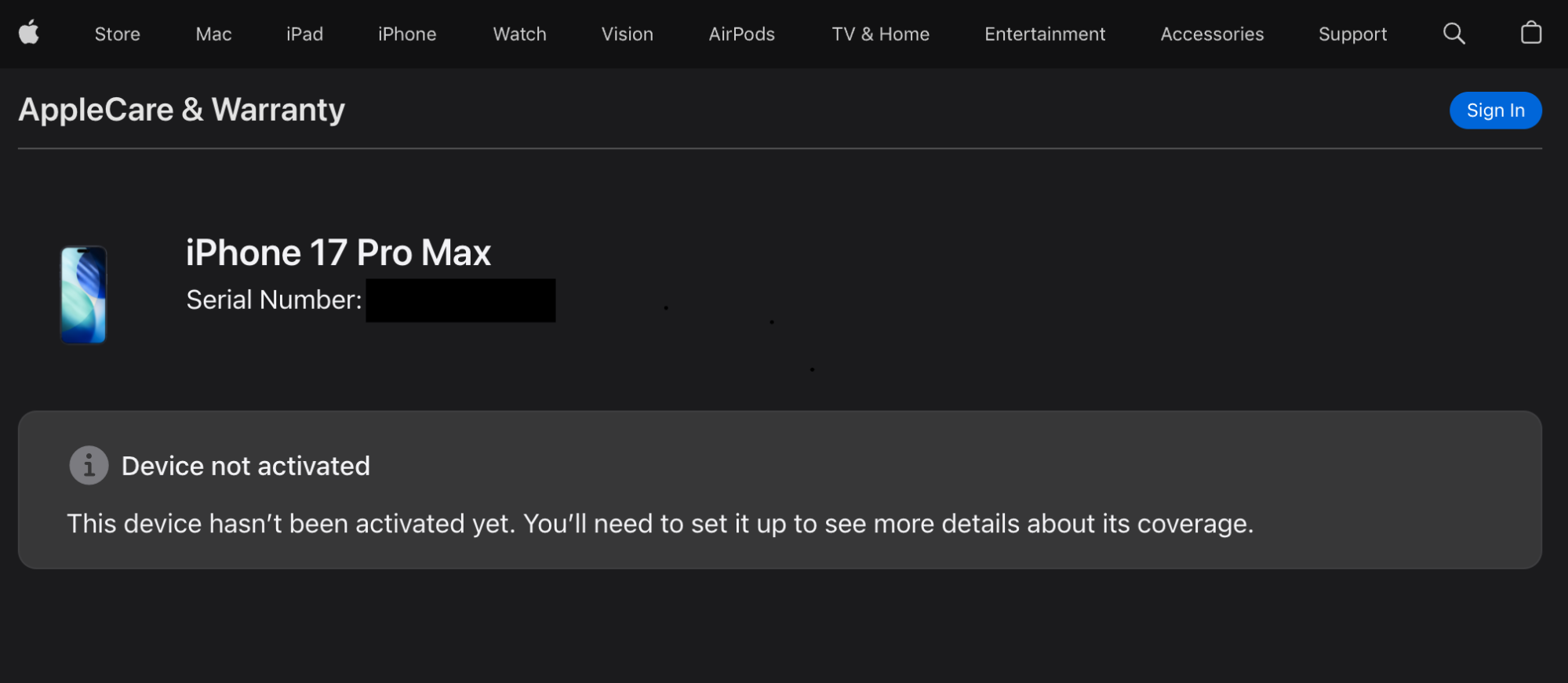
Contents of an Actual Box of iPhone 17 Pro Max
A genuine iPhone 17 Pro Max box keeps things simple. You will find:
• The iPhone itself
• A USB-C charging cable
• Minimal Apple documentation
• SIM tool (depending on region)
Apple no longer includes chargers or headphones.
If you open the box and see:
• Extra accessories
• Poor packaging quality
• Loose or badly placed items
You should immediately question the authenticity.
3 - Indicators from inside: Hardware Differences Post Unboxing
If the device passes the box checks, the next step is inspecting the phone itself.
Build Quality and Housing
Apple’s build quality is precise. Everything feels solid and uniform.
On a suspicious device, look for:
• Irregular edges or corners
• Visible joins or gaps
• Camera housing made of multiple parts instead of one
These are strong indicators of a fake.
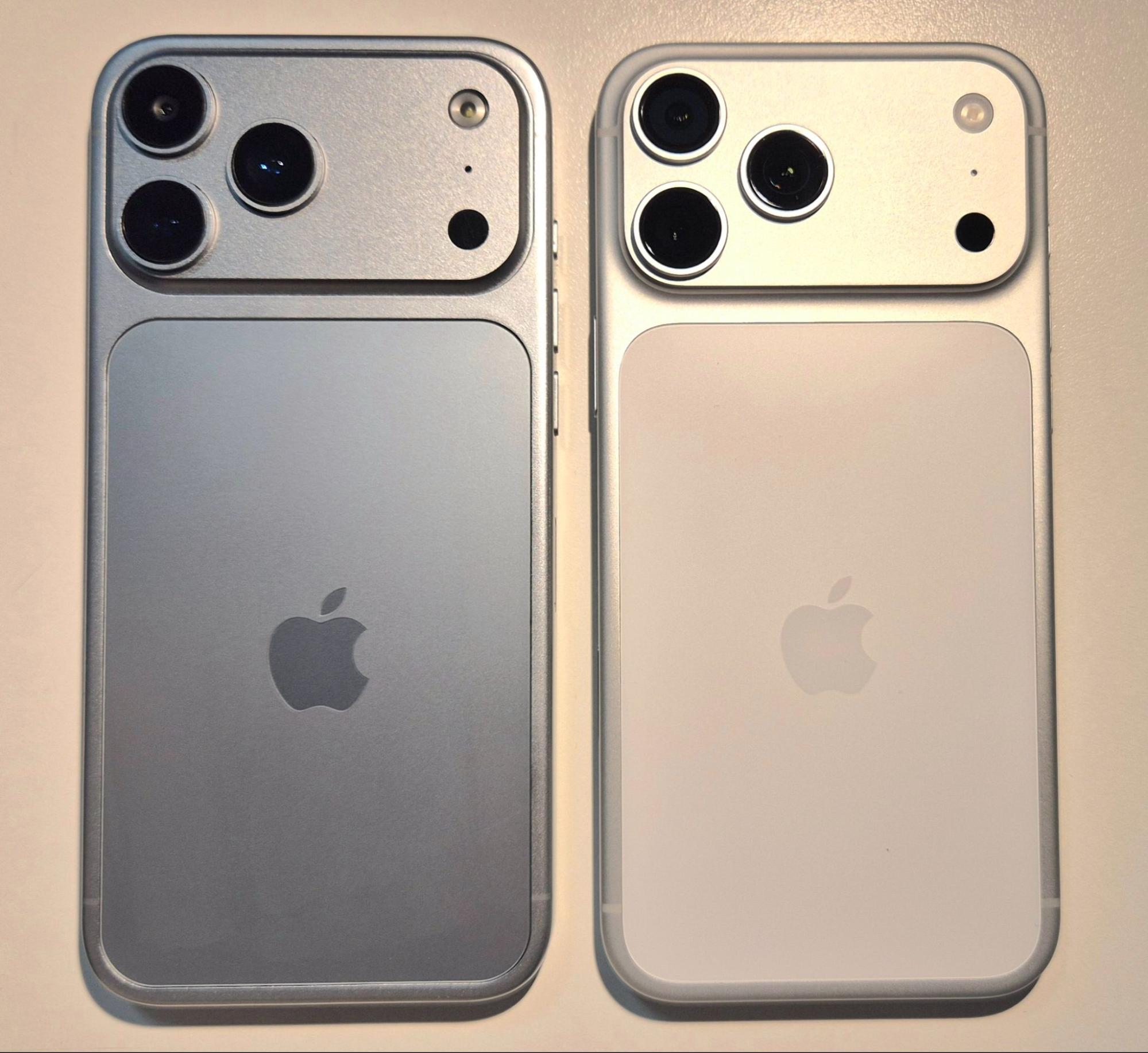
Real iPhone on the right, replica on the left.
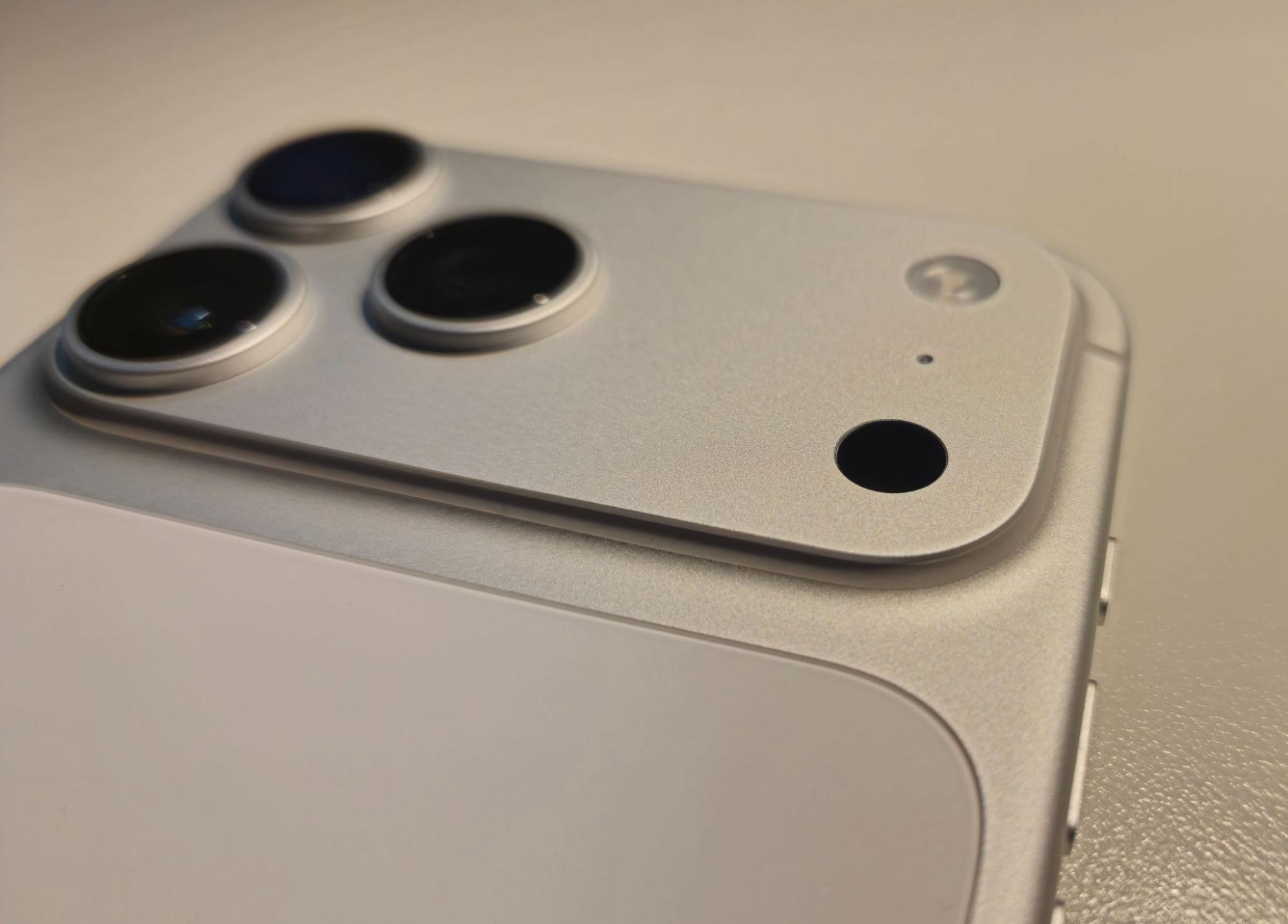
Left image of the replica, right image of the real iPhone.
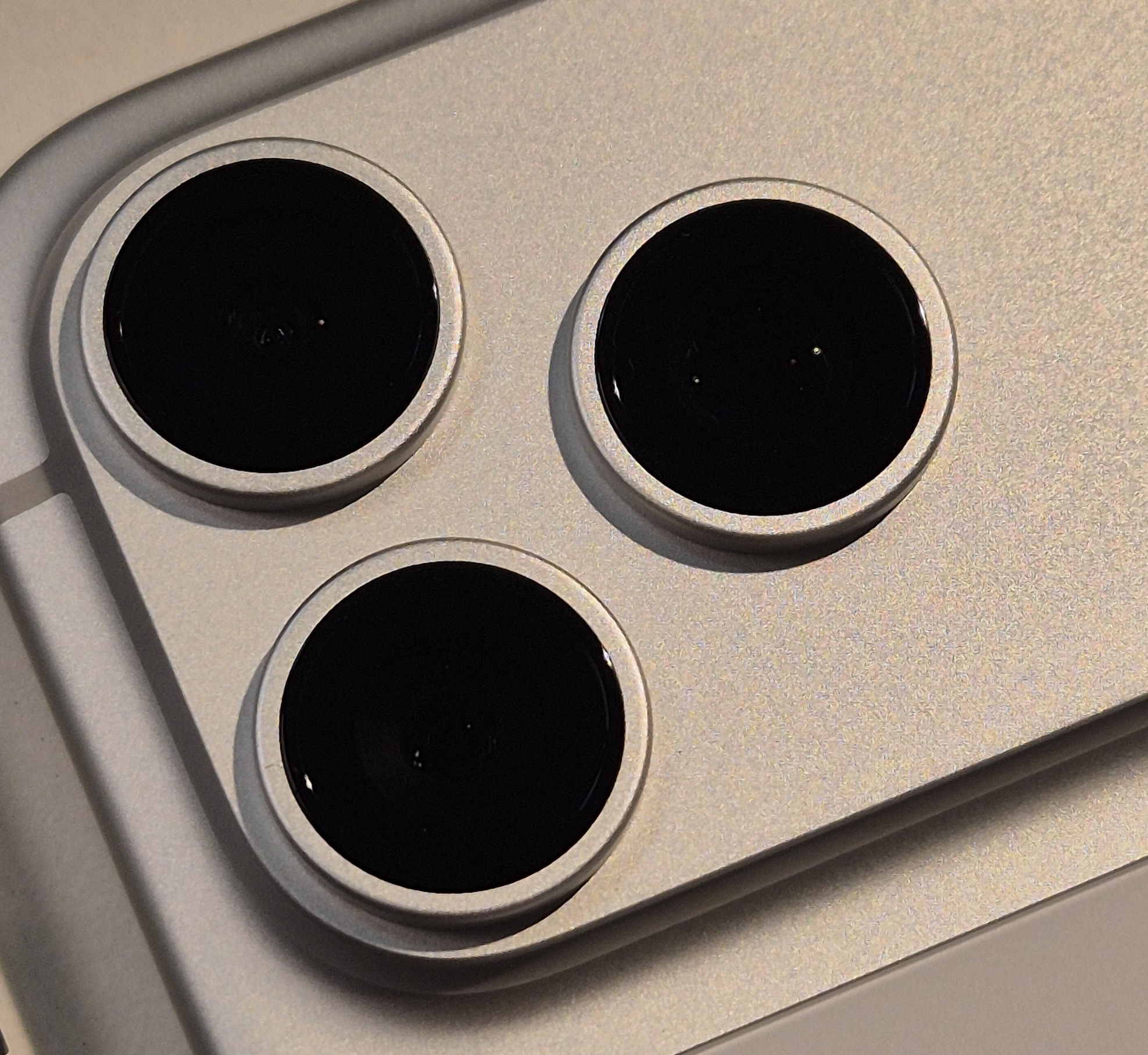
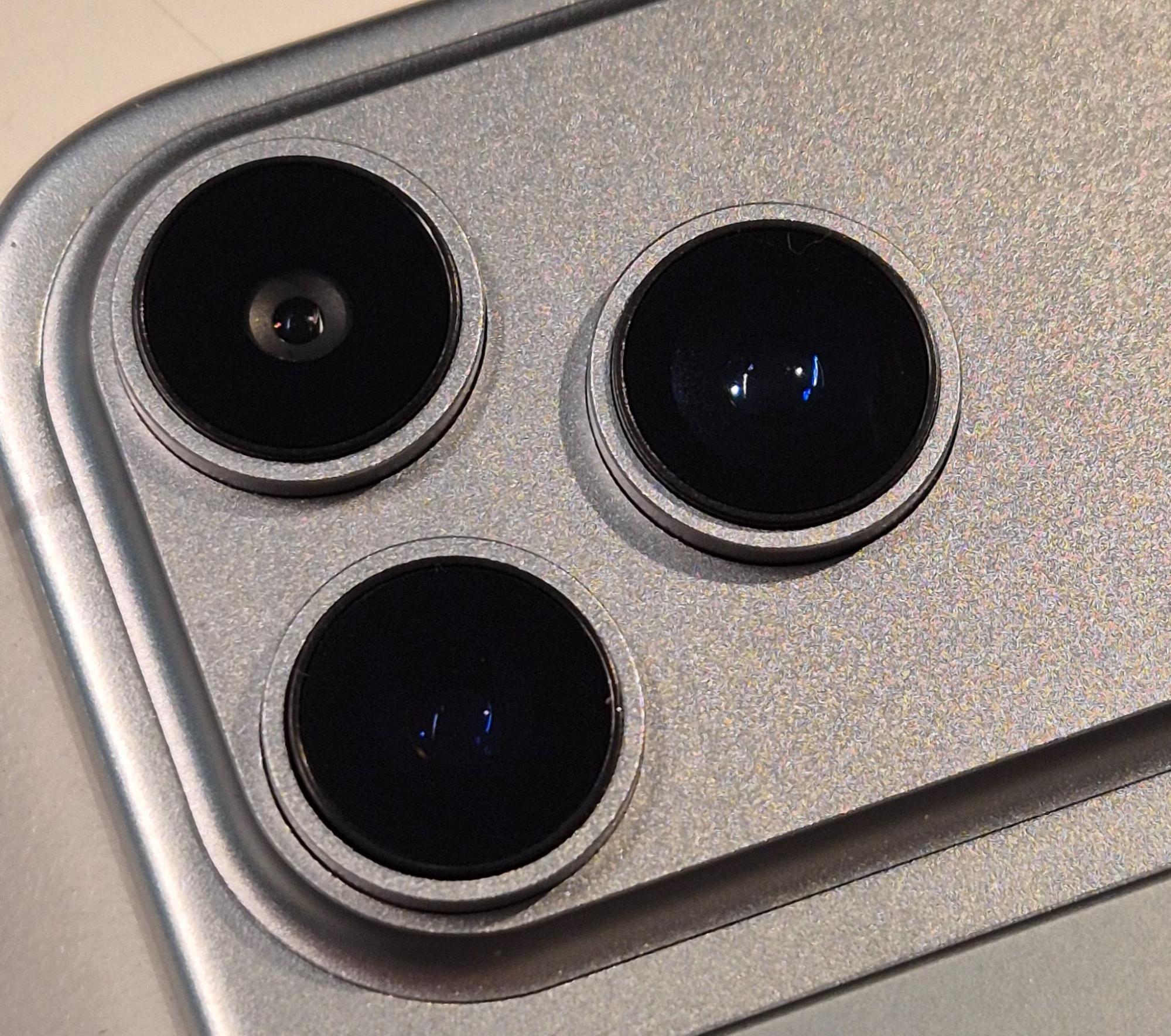
Camera Details
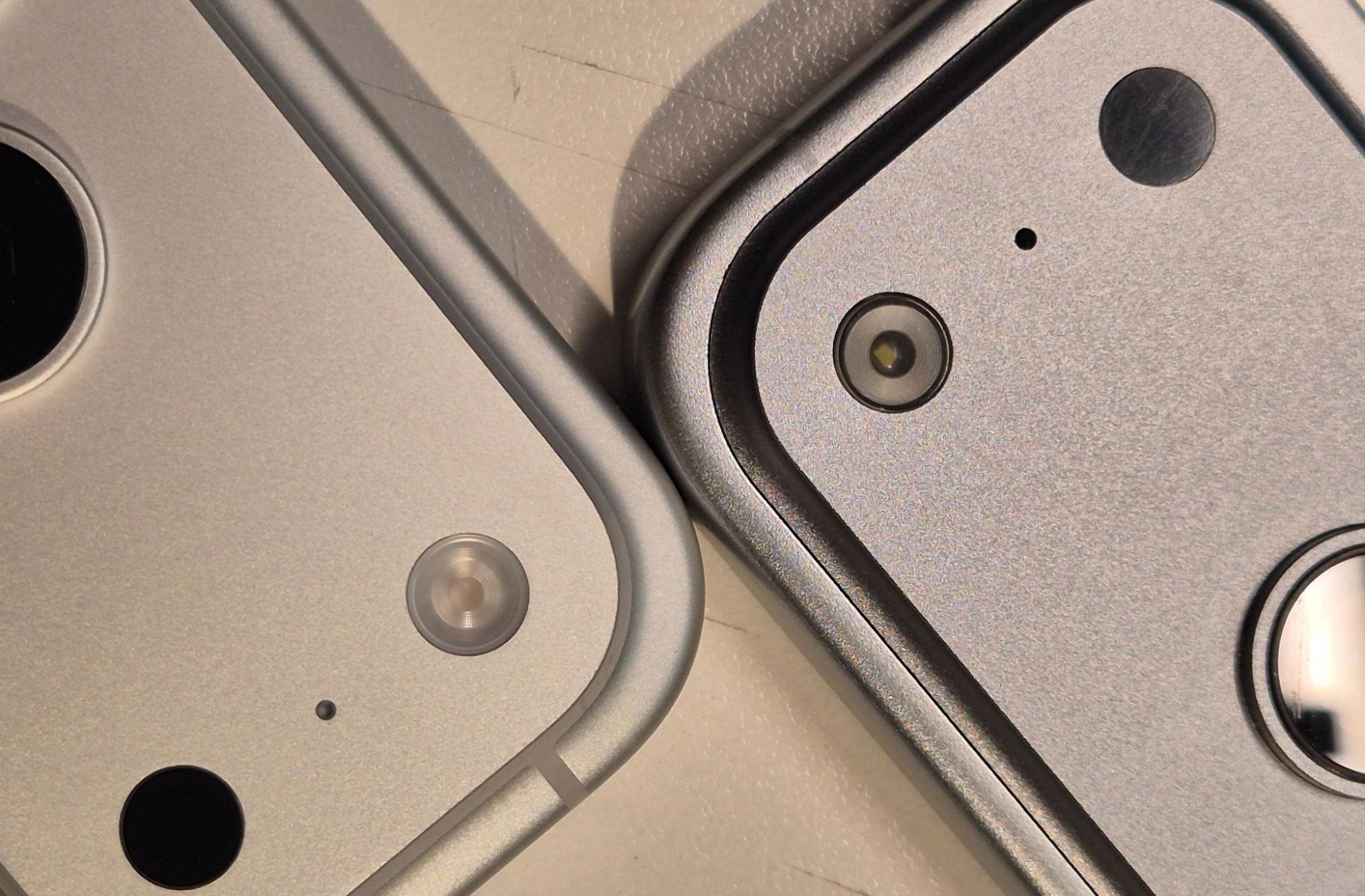
The camera is often the clearest giveaway.
Differences may include:
• Unusual lens colours
• Incorrect shapes
• A flash that looks different from official models
Even if it appears similar, it is rarely identical.
Real iPhone on the left, replica on the right.
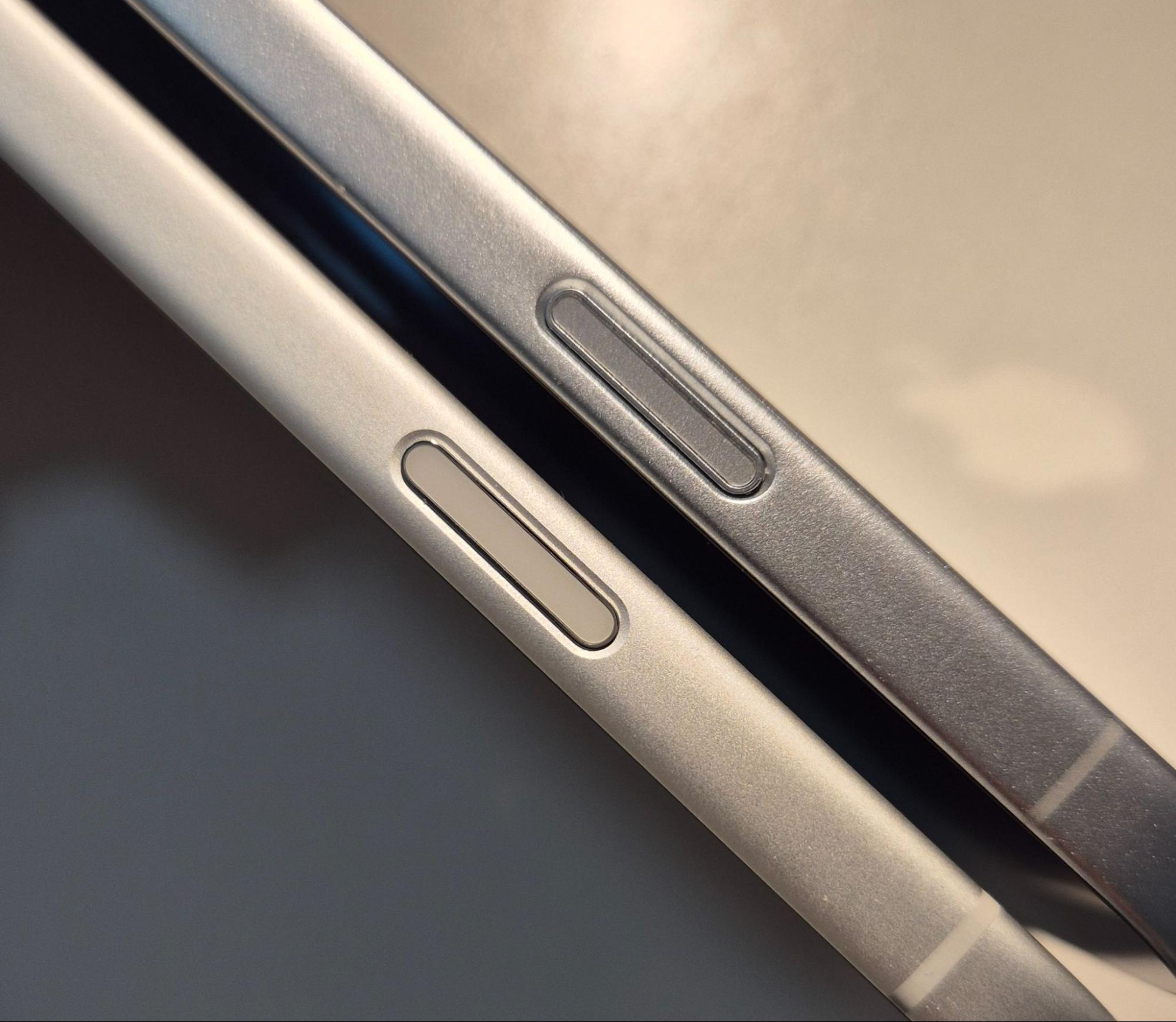
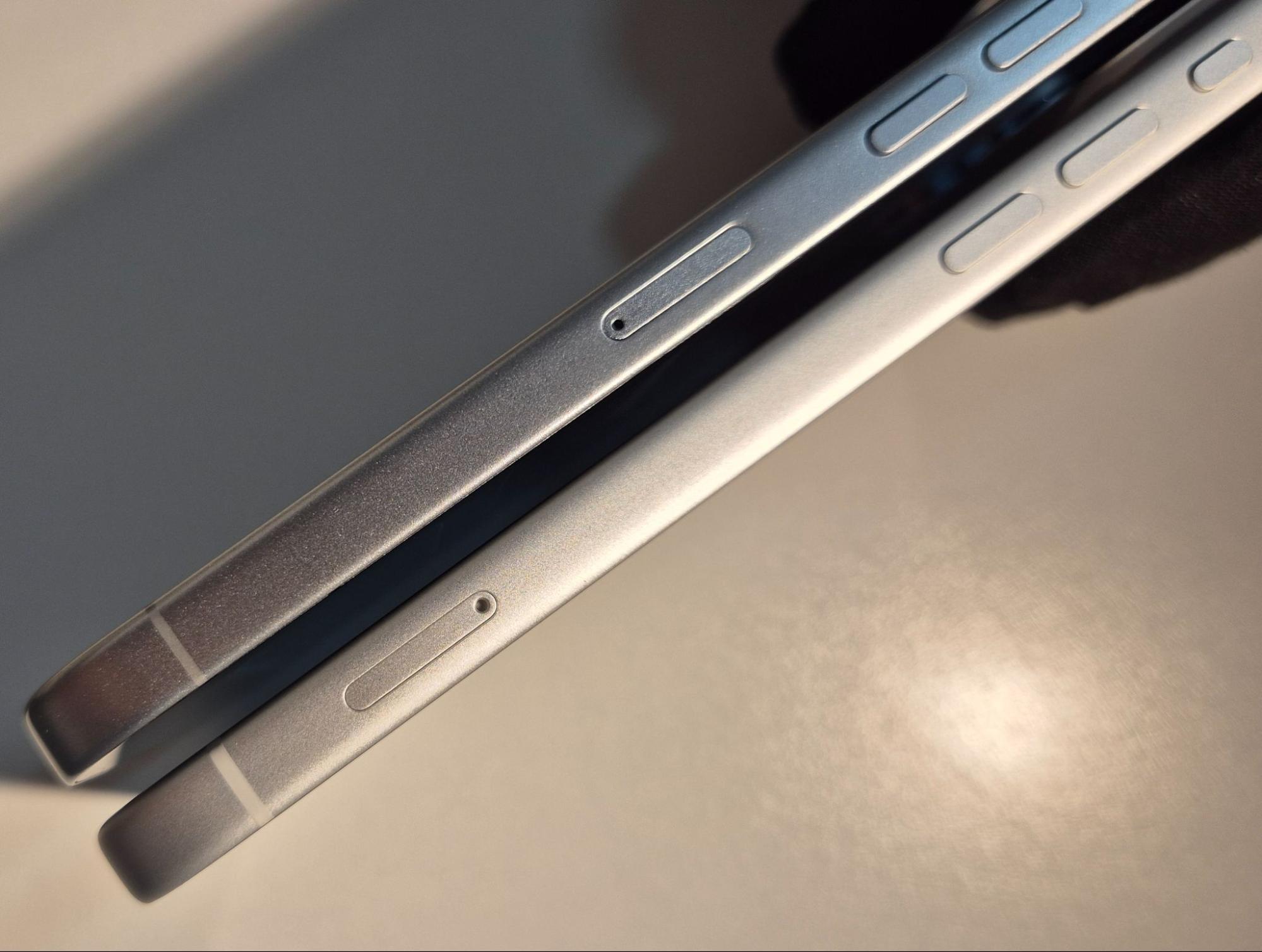
Buttons, SIM Tray and Speakers
Small details matter.
Check for:
• Misaligned buttons
• SIM tray not sitting flush
• Uneven speaker holes
These inconsistencies are common in counterfeit devices.
Real iPhone on the left, replica on the right. Replica on the left, real iPhone on the right.
Screen and Bezels
Power on the device and observe the display closely.
A genuine iPhone will have:
• Thin, even bezels
• A clean and well-defined front camera area
A fake often shows:
• Thicker or uneven borders
• Slightly off front camera placement
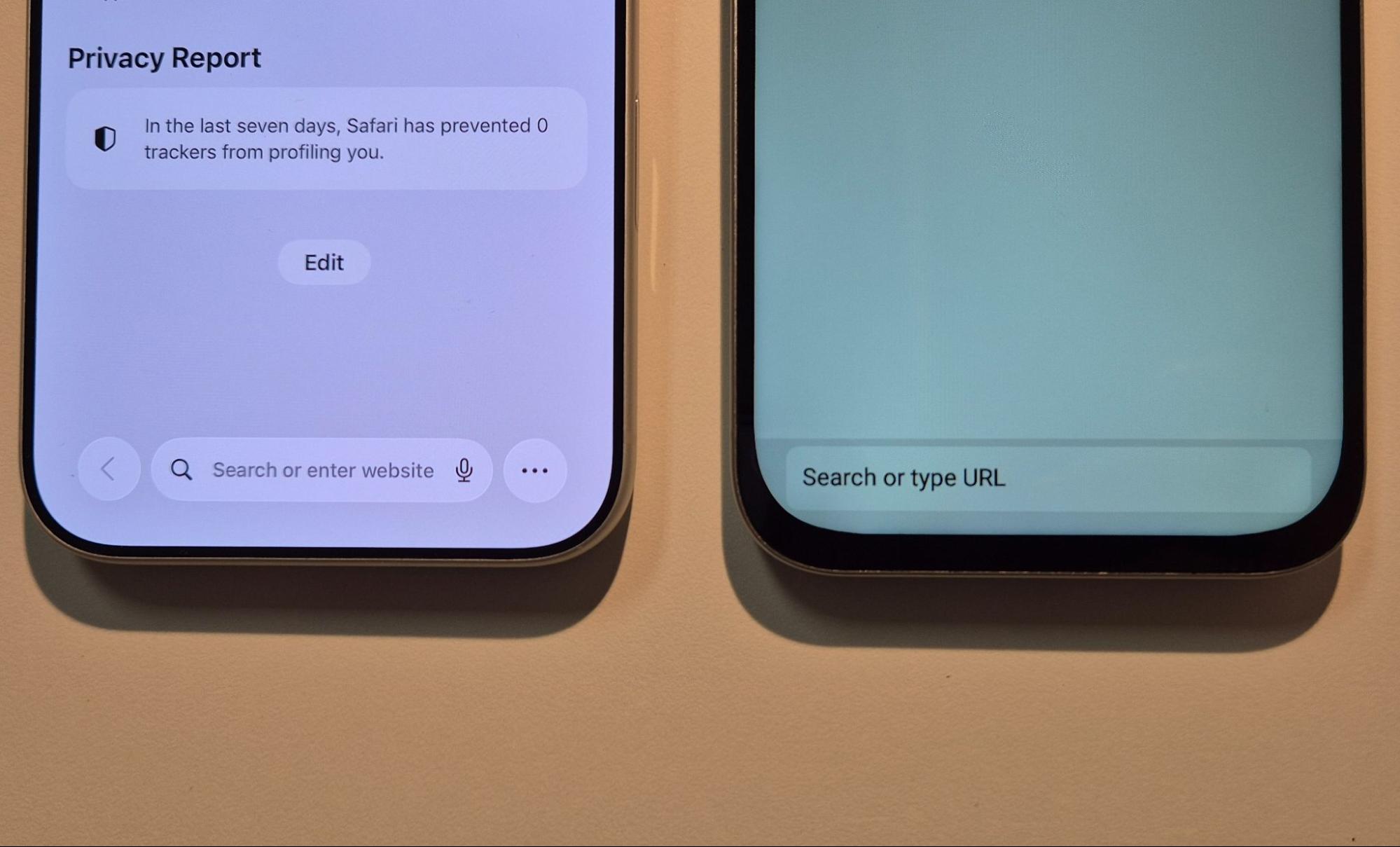
Real iPhone on the left, replica on the right.
Also, the frontal camera and Dynamic Island would look different, as in the cases stated in the previous point.
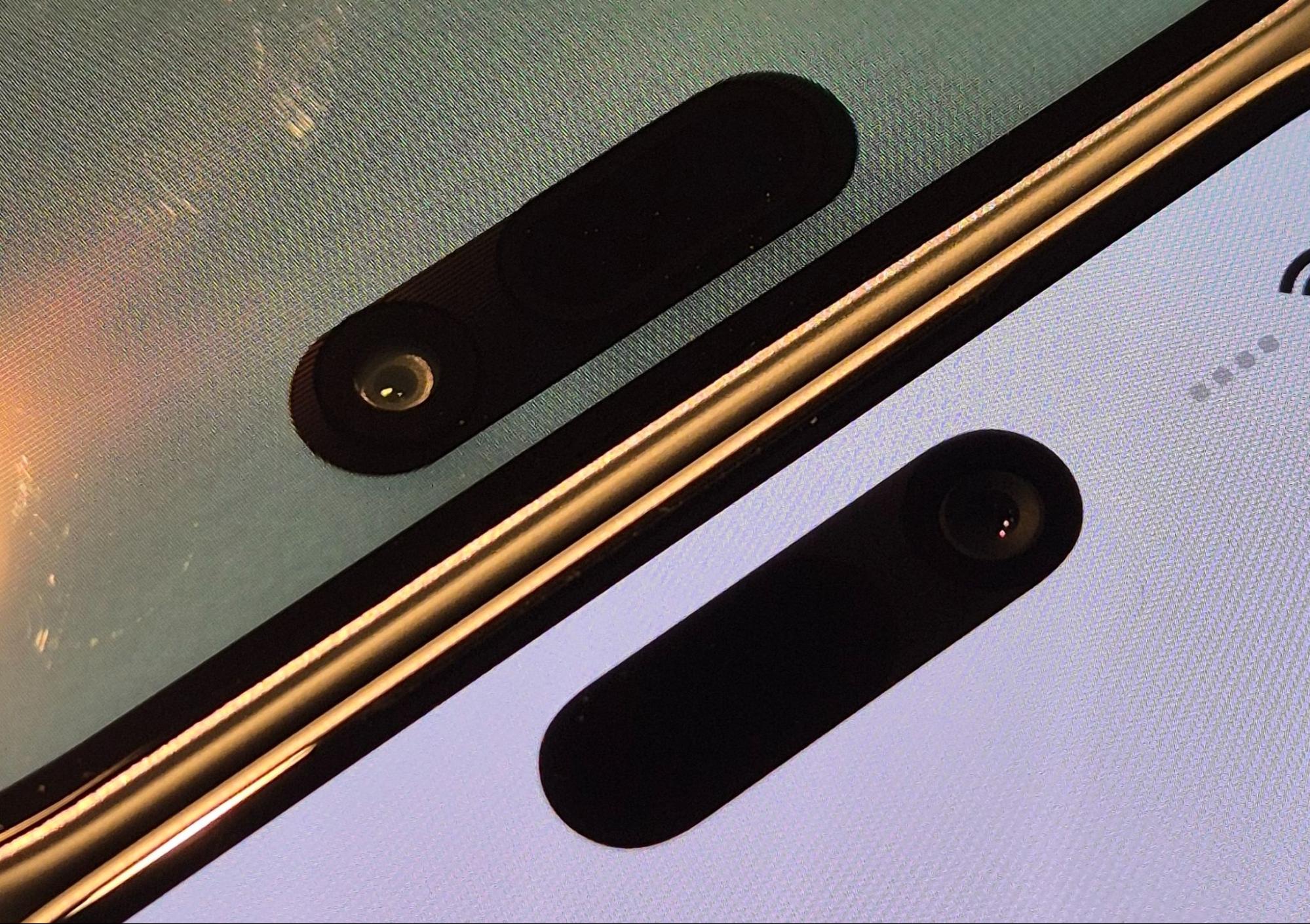
Replica on the left, real iPhone on the right.
4 - Software indicators that a fake has been confirmed
Even the best copies fail when it comes to software.
Performance and Transitions
A genuine iPhone is fast and smooth.
A fake device may:
• Take longer to start
• Show laggy animations
• Have irregular boot screens or lighting
These are immediate warning signs.
Interface and App Layout
Look closely at:
• App icons
• Fonts
• Layout spacing
On fake devices, these elements are often slightly off.
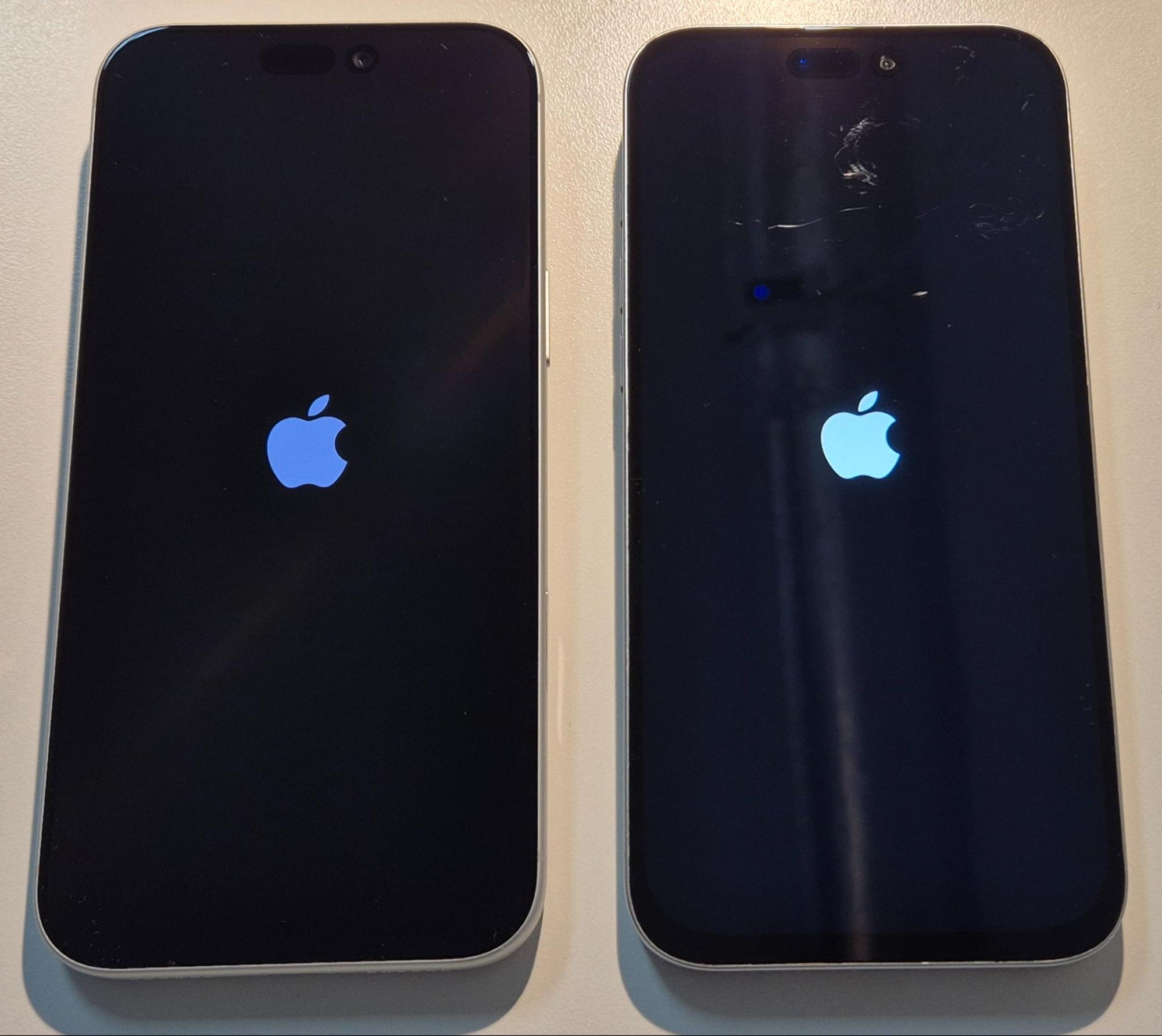
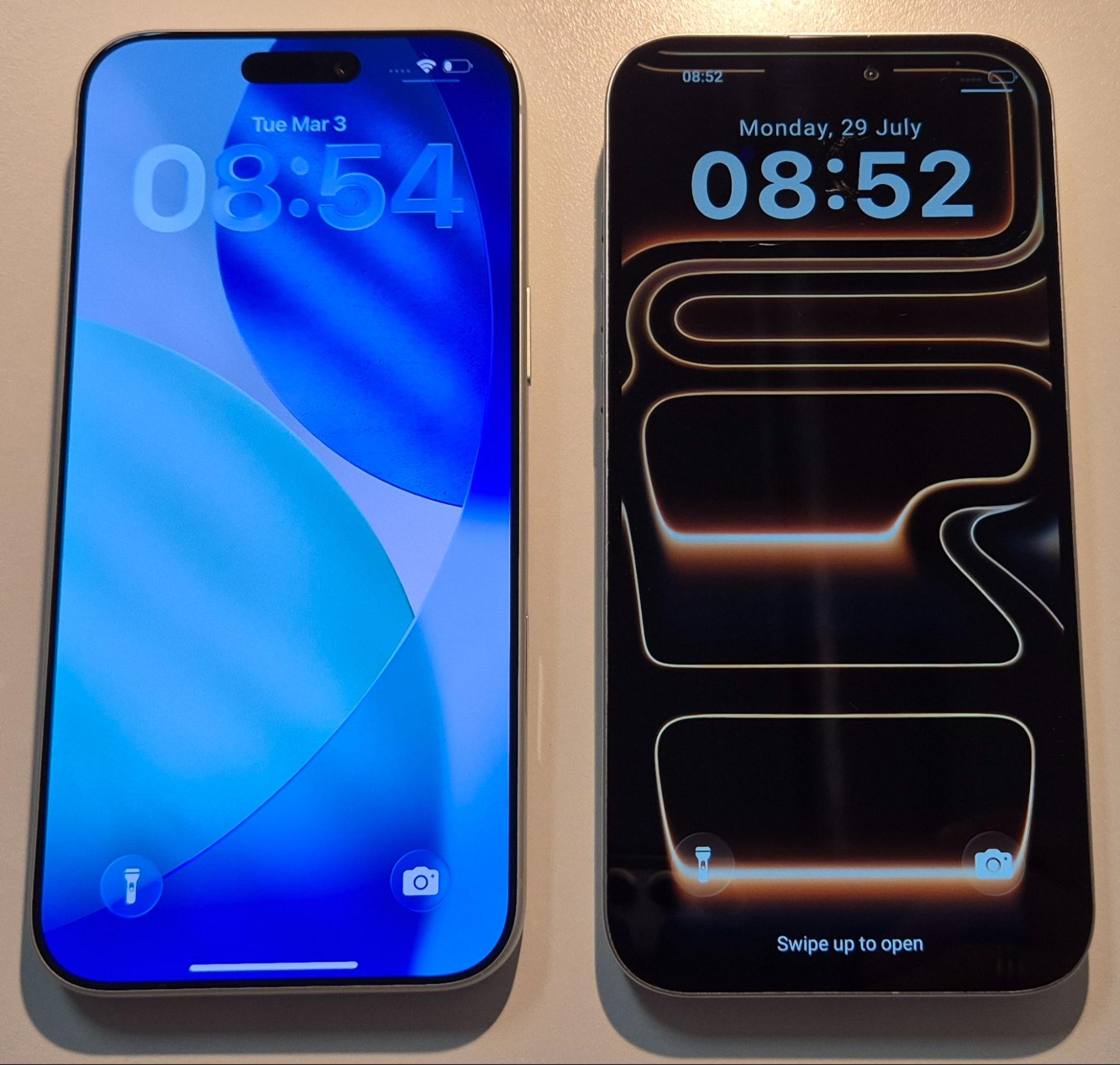
Real iPhone for all images on the left, replica on the right.
App Functionality
Open a few apps, especially the camera.
Common issues include:
• Poor image quality
• Features that do not work properly, such as zoom
• Different interface design
Also, watch for apps that should not be there. A new iPhone will not come with pre-installed third-party apps.
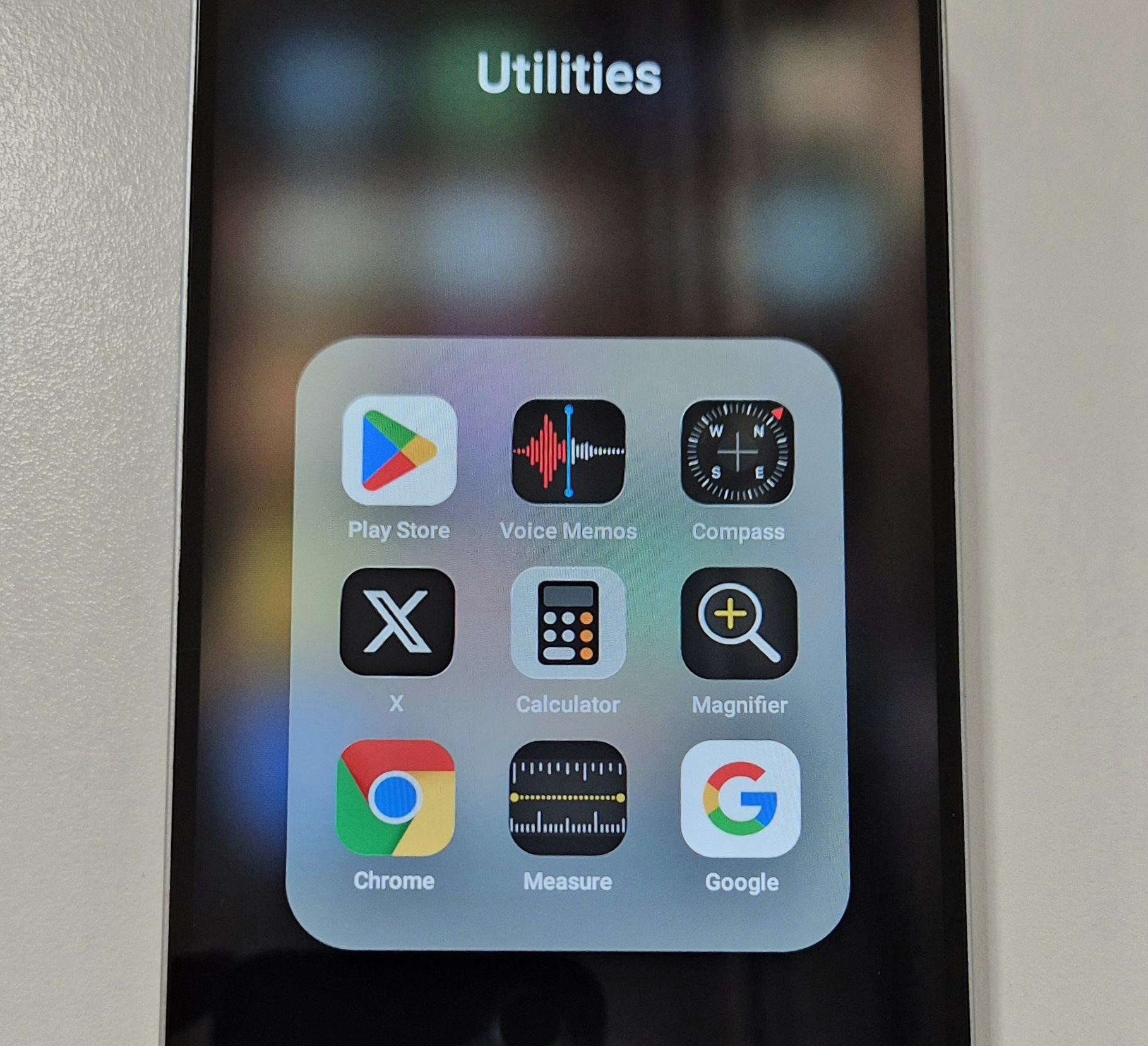
Replica Apps
Final Word: Buy at Your Own Risk
It all comes down to details when identifying a real vs fake iPhone 17 Pro Max. Check the seals, print quality, alignment, and activation status before even powering on the device.
Once opened, hardware and software checks make things even clearer.
It can be risk, and a hassle worth a lot of £££. We can help. At vendi, we believe buying and selling tech should be simple, secure, and transparent. That is why we offer:
• Instant online quotes for your devices
• £10 covered postage for secure shipping
• AI-driven verification for condition, battery, camera, and more
• Same-day payment once your device is received
• Full price guarantee or free return if conditions are not matched
• 12 month warranty on any purchase
If you are upgrading, there is no need to take risks in the market.
Sell your current phone with Vendi, get paid quickly, and use that value towards your next device with confidence and no guesswork.
Sell your device
Sell your preloved devices instantly at the best price on the market with same-day payment!
Sell Now